IRON NEST: Heavy Turret Simulator Version 1.0 — Beyond the Demo
What changed when the Next Fest training cab became the full August 6 release.
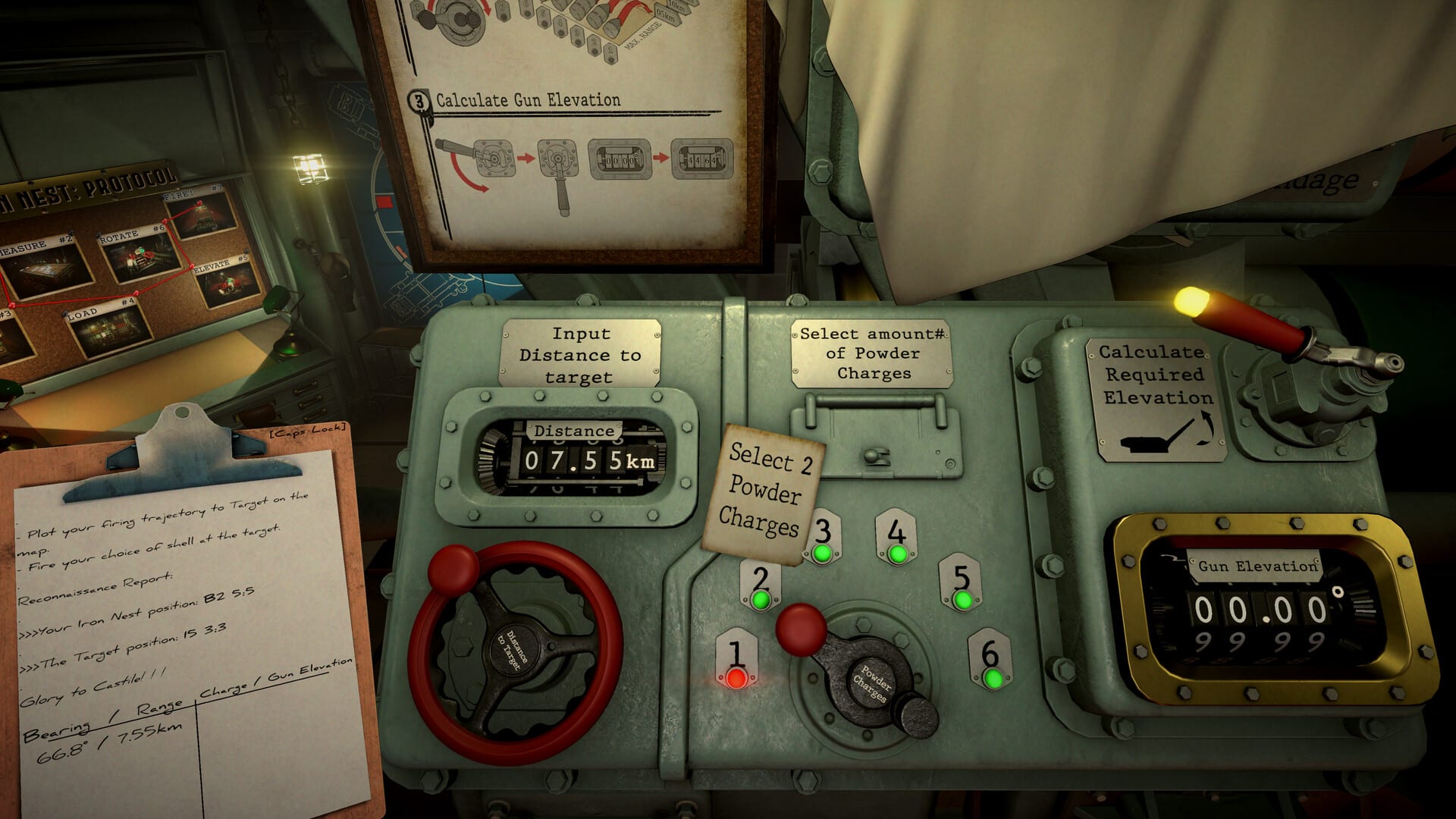
Version 1.0 is the August 6, 2026 retail build of IRON NEST: Heavy Turret Simulator —the same dieselpunk fire-control fantasy as the Steam Next Fest demo, tightened by months of player feedback. If you only know the six demo operations, treat this page as a conversion brief: what still works the same, what now punishes lazy repetition, and which new cab systems appear once you own the full game.
For store reception and the intro discount window, see launch reception. For install basics, see demo download (the demo remains free) or buy the full app on Steam/GOG/Epic.
What did not change (on purpose)
The core loop is still intel → measure → calculate → load → fire. Teleprinter orders, tactical grid pencils, the ballistic calculator, manual ramming, traverse wheels, and recon photos remain the spine of every mission. The developers did not turn IRON NEST into an arcade aim-down-sights shooter for launch —and early Overwhelmingly Positive reviews suggest that stubbornness paid off.
If you can complete Calibration Fire through Challenge: FDC cleanly, you already speak the language of 1.0. You still need the first firing solution discipline on every story mission.
Mechanical wear and barrel personality
One of the clearest 1.0 shifts versus the demo is sustained-fire wear. In the festival build, a correct solution could feel endlessly repeatable once you locked the numbers. In 1.0, prolonged maximum-power bombardments introduce subtle mechanical drift —tiny elevation inconsistencies from heat and stress —so veteran operators re-check instruments instead of firing on muscle memory alone.
Practical habits:
- Watch barrel condition and hydraulic feel during long missions.
- Avoid treating the first perfect bracket as permanent truth after a heavy barrage.
- Re-measure or recompute when impacts start walking off a known aim point without an obvious plotting error.
This is not random punishment; it is another layer of the machine fantasy that systems hub pages describe. Pair it with the fire control loop mindset: the Nest is a device you maintain, not a targeting reticule you own.
Emergency Move and Tactical Move
Full release makes repositioning a real decision. Two movement abilities show up in operator reporting around launch:
| Ability | Role | Tradeoff |
|---|---|---|
| Emergency Move | Escape incoming counter-battery quickly | High hydraulic cost, easier for enemies to detect |
| Tactical Move | Quiet relocation between firing positions | Slower, safer signature, may be too slow if shells are already inbound |
Demo missions often taught you to stay planted and solve geometry. Campaign missions and harder challenge pressure ask whether the Nest should stay, creep, or bolt. Read progression and abilities as you unlock crew and machine upgrades that change how expensive those choices feel.
Interface and clipboard quality of life
Version 1.0 smooths the plotting board and clipboard workflow that demo players sometimes fought more than the enemy. Marker placement and firing lines feel less sticky; copying coordinates into your firing card is faster without removing the requirement to understand the math. An adjustable field of view helps in the cramped cab when you are juggling teleprinter, map, and gun wheels.
None of that deletes the need for map measurement skill or clipboard firing card discipline —it removes friction around the parts that were UI, not tactics.
Performance and portable play
Launch builds report smoother bombardment scenes and fewer hitch moments versus the demo on mid-range PCs. Still verify your machine against system requirements. Steam Deck play is viable with full controller support via Proton, but treat verification badges as store-live data —see Steam Deck and platform features.
What demo operators should relearn first
- Re-run one clean demo mission to confirm your personal checklist still holds.
- Read campaign start before assuming every story beat is a longer Calibration Fire.
- Practice artillery corrections knowing wear can mimic a “false miss.”
- Learn when challenge modes expect speed versus when newspapers punish reckless shell choice —see newspaper consequences.
- Track medals and Steam achievements separately from mission success —medals and achievements.
Content scope reminder
Steam’s feature list for 1.0 still centers 15 regions, ~30 shells, unlockable abilities, two challenge modes, leaderboards, 100+ medals, and 33 Steam achievements. If older previews mentioned larger challenge counts, ignore them —the live listing is the authority this wiki follows.
After 1.0
Expect iterative patches from a small team rather than a live-service roadmap dump. When numbered patches change ballistics, UI, or content, new entries will appear under the updates hub. Until then, treat Version 1.0 as the baseline: same sacred loop, heavier machine simulation, meaningful relocation, and a cab UI that finally gets out of your way.
The Nest is open for live orders. Measure twice —and after a long barrage, measure again.
Frequently Asked Questions
Quick answers to the most common questions.
Is Version 1.0 the same as the Steam demo?
The core fire-control loop is the same, but 1.0 adds campaign scope plus systems like mechanical wear and repositioning abilities that the demo only hinted at.
What is mechanical wear in IRON NEST?
After sustained heavy firing, subtle elevation drift can appear. Re-check solutions instead of repeating the same numbers forever.
What are Emergency Move and Tactical Move?
Two launch-era relocation options: a loud fast escape versus a quieter slow reposition, each with detection and timing tradeoffs.
Do I need to replay the demo after buying 1.0?
Not required, but one clean demo run is a fast way to refresh your checklist before longer campaign missions.