IRON NEST: Heavy Turret Simulator Requisition & Procurement
When High Command authorizes resupply mid-mission.
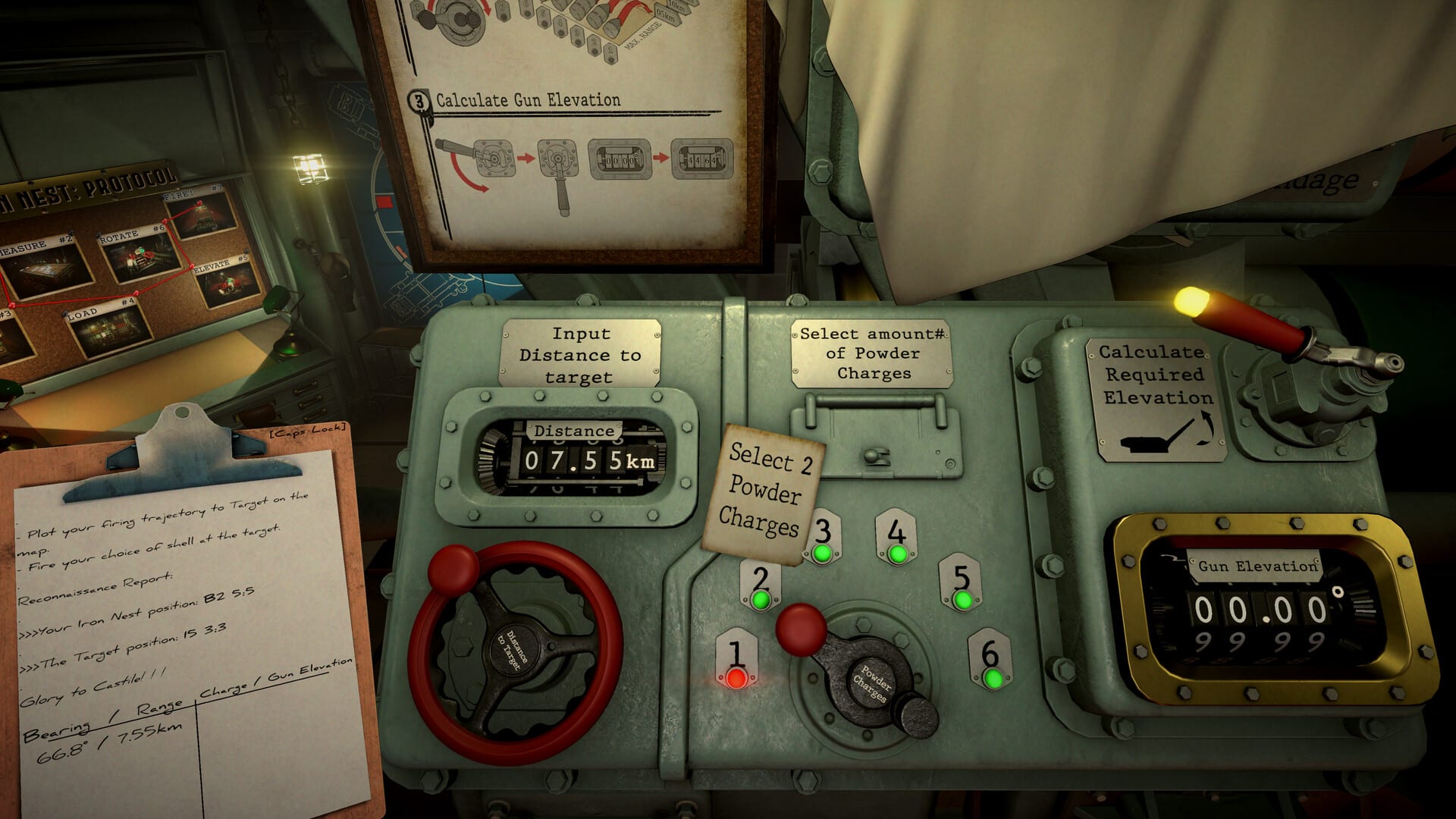
Not every IRON NEST mission ends when the nine-round rack runs dry. From Liberation onward in the Steam demo — and throughout heavier campaign battles at full launch — High Command can authorize the requisition console for ammunition and powder charge procurement at the operator’s discretion.
Requisition is not a shop menu divorced from simulation. It sits inside the same cab as the teleprinter and map table: you decide when resupply is worth the time cost, what shell types to prioritize, and whether a recon flight or star-shell request fits the operational picture.
When requisition unlocks
The demo introduces requisition during Operation 3 — Liberation, when urban clearance orders exceed a comfortable rack loadout. Teleprinter text explicitly states that requisition procurement is authorized to meet operational requirements.
Later demo content — Chill sandbox and Challenge: FDC — also grants requisition access so you can experiment with mixed HE/AP loads and sustained fire under score pressure. Full campaign missions that field larger target rosters or multi-phase briefings rely on the same system per store feature descriptions.
If you have not reached Liberation yet, finish Calibration Fire through Fire & Light first; requisition assumes you already understand loading and charge selection from Shell Loading & Gun Laying.
What you can requisition
Exact catalog entries vary by mission authorization, but requisition generally covers:
- Shell types already unlocked for the operation — HE, AP, smoke, star, and specialty rounds listed in mission ordnance notes.
- Powder charge resupply so you are not locked into the charges loaded at mission start.
- Support assets when briefing text authorizes them — for example recon flights over priority grids during Liberation segments.
Requisition does not bypass ballistics. Every procured shell still needs a measured range, calculator elevation, and manual lay before fire.
How requisition fits the firing loop
Think of requisition as a branch between fire missions, not a pause menu:
- Complete or abort the current fire mission checklist.
- Open the requisition console when teleprinter authorization is active.
- Select shells and charges aligned with the next target type — AP for bunkers and FDC grids, HE for soft columns, star shells for illumination orders.
- Return to the map and calculator before traversing.
In Challenge: FDC, smart requisition during FDC pause windows — when destroying a Fire Direction Center suspends counter-battery fire — lets you restock without timer pressure. Wasting a pause on the wrong shell type is a common leaderboard mistake; plan the next two targets before opening the console.
Requisition vs progression unlocks
The progression and abilities system expands what your turret can do across the 15-region campaign — roughly 20 abilities and 30 ammunition types at full release. Requisition is the in-mission delivery mechanism for tools you already earned, not a substitute for campaign progression.
Early tutorial operations before Liberation intentionally omit requisition so you learn rack discipline first. Once it appears, running dry without checking authorization is an operator error, not a hard fail — High Command expects you to manage logistics.
Strategic requisition habits
Pre-load for the next phase before teleprinter phase two arrives. Fire & Light players learn this the hard way when star-shell orders follow HE combat — keep star rounds accessible after requisition unlocks.Match ordnance notes literally. Challenge briefings that say AP required for underground FDC positions mean procuring AP before finalizing solutions, not after a failed HE splash.Bundle recon with resupply planning. Liberation segments that mention ammunition caches across the river pair naturally with recon flight authorization — gather intel before spending shells on uncertain grids.Do not requisition during active traverse unless the timer allows. Hydraulic movement and console work compete for attention; finish lay or accept the time cost deliberately.
Demo vs full campaign
The demo requisition catalog is a subset of full release options. You will not see every shell tier or ability-gated support call in app 4300500. Treat demo requisition as training for logistics rhythm; read everything we know for how full campaign economies scale.
Related guides
- Demo Operations — when Liberation and Challenge grant requisition.
- Challenge Modes — FDC pause + resupply timing.
- Ammunition hub — shell roles before you requisition the wrong round.
- Fire Control Loop — where procurement sits in the full chain.
Logistics win wars. High Command gave you the console — use it before the rack clicks empty on the final target.
Frequently Asked Questions
Quick answers to the most common questions.
When does requisition unlock in IRON NEST?
During Liberation in the demo, when teleprinter text authorizes ammunition and powder procurement. Later operations and campaign missions use the same console.
Can I requisition any shell type?
Only types authorized for the current mission ordnance notes. AP for FDC bunkers, star shells for illumination orders, and HE for soft targets when briefings specify.
Does requisition pause the counter-battery timer?
Not by itself. In Challenge: FDC, destroying an FDC bunker pauses counter-battery coordination — that window is the safest time to requisition and replot.
Is requisition in the full game different from the demo?
The procedure is the same, but the full campaign offers more shell types and support options tied to progression unlocks.
Should I requisition before or after map plotting?
Decide target priority on the map first, then requisition the shell and charge combination your next solution requires.
Where does requisition sit in the firing loop?
Between fire missions — after you finish or abort a shot checklist and before you measure the next target.